Bring controls, policy drafts and evidence into your AI client, with Sparta’s existing permissions and audit trail.
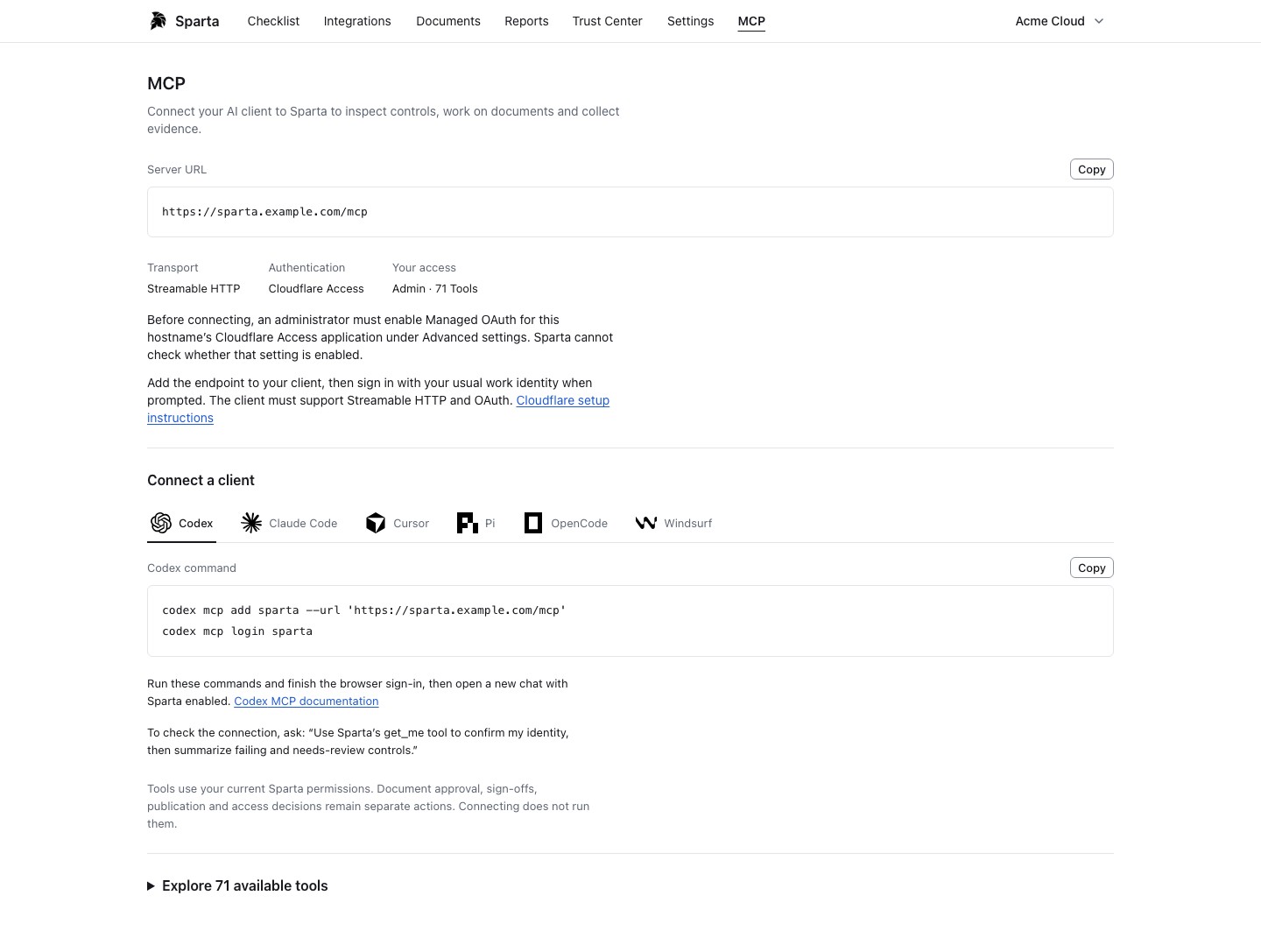
A dedicated MCP page brings together your server URL, authentication requirements and the tools available to your role.
Client-specific setup guidance for Codex, Claude Code, Cursor, Pi, OpenCode and Windsurf.
Inspect controls, edit policy drafts, review evidence uploads and prepare auditor packages through the same authorized workflows as the app.
Approvals, sign-offs, access decisions and publication remain explicit actions. Connecting a client does not perform them.
Connect an MCP clientMCP setup in Sparta, shown with fictional demo data and an example endpoint. Select the screenshot to view it at full size.
Notice
The MCP connection page is included in the current source release. Customer installer v0.1.5 is unchanged. External OAuth clients require Cloudflare Access with Managed OAuth configured; managed-account installations use their same-origin Sparta session.
Updated user administration, checklist scoping and MCP evidence-source workflows, with existing customer sign-in preserved.
Automatic Cloudflare deployment-owner setup and returning sign-in remain available alongside existing local accounts and authenticator requirements.
All 17 evidence connectors remain available, including Durin, Better Stack and Elastic.
Separately configured Cloudflare federation is available for local accounts.
Notice
Existing installations need an operator-managed update using a verified backup. Preserve your installation identity, login configuration, encryption keys and secrets. Updates do not happen automatically.
 Sparta